Summary AI coding assistants let complete beginners build apps, websites, chatbots, and automations using plain English, no programming experience required. Tools like GitHub Copilot, Cursor AI, Claude Code, Replit AI, and Windsurf are making software development accessible to entrepreneurs, students, freelancers, and small business owners. In this guide, we cover the 8 best AI coding assistants for beginners in 2026, compare their features, pricing, and ideal use cases, and explain how to pick the right one for your goals. |
Key Takeaways
- You no longer need a computer science degree to build software.
- AI coding assistants understand plain English and generate real, working code.
- Tools like Replit AI and Windsurf are 100% beginner-friendly and free to start.
- "Vibe coding" is the new trend where you describe what you want and AI builds it.
- Even complete beginners can launch websites, apps, and automations in 2026.
Choosing the right AI coding assistant depends on your goals, budget, and project type.

Introduction
Not long ago, building software meant spending years mastering complex programming languages like Python, JavaScript, or C++. The idea of creating your own app or website felt out of reach unless you had a computer science degree or years of experience. That world has changed dramatically, and AI coding assistants are leading the transformation. Today, anyone with a laptop and an idea can build something real, no prior tech experience needed.
Whether you want to launch a side business, automate a repetitive task at work, build your own portfolio website, or create a mobile app, AI coding tools are making it possible for everyday people. These tools understand plain English, generate working code on demand, and can even explain what that code does in simple terms. This guide will walk you through everything you need to know about AI coding assistants, including the best tools available in 2026, how they work, and how to choose the right one for your journey. Keep reading, your first app might be closer than you think.
What Is an AI Coding Assistant?
An AI coding assistant is a software tool powered by artificial intelligence specifically large language models (LLMs) that helps users write, debug, explain, and improve computer code. Think of it as a highly intelligent coding partner that sits beside you, understands what you are trying to build, and writes the actual code for you in real time.
Unlike traditional coding, where you need to memorize syntax, understand programming logic, and spend hours debugging errors, AI-assisted coding lets you describe what you want in plain conversational language. The AI translates your words into functional code automatically.
Traditional Coding vs. AI-Assisted Coding
Aspect |
Traditional Coding |
AI-Assisted Coding |
|
Skills Required |
Years of learning |
Plain English description |
|
Speed |
Slow for beginners |
Rapid results |
|
Error Handling |
Manual debugging |
AI detects and fixes |
|
Learning Curve |
Steep |
Minimal |
|
Cost to Start |
High (courses, bootcamps) |
Often free |
What Is Vibe Coding?
"Vibe coding" is a term that became popular in 2025 and exploded in usage through 2026. Coined by AI researcher Andrej Karpathy, vibe coding describes the process of building software almost entirely through natural language prompts, essentially by "vibing" with an AI until it produces something that works.
In vibe coding, you do not write a single line of code manually. Instead, you describe your vision, the AI generates the code, you test it, tell the AI what to fix or improve, and the AI iterates until the final product is ready. It feels more like having a creative conversation with a skilled developer than doing traditional programming.
Real-World Examples of AI Coding in Action
- A freelancer builds a client invoice generator using Claude Code without writing any code manually.
- A small business owner automates their inventory spreadsheet using GitHub Copilot.
- A student creates a simple quiz app for their school project using Replit AI.
- A startup founder builds a landing page with a contact form in under an hour using Cursor AI.
- A content creator builds a personal portfolio website using Windsurf with zero coding background.
How AI Coding Assistants Work (Step-by-Step Breakdown)
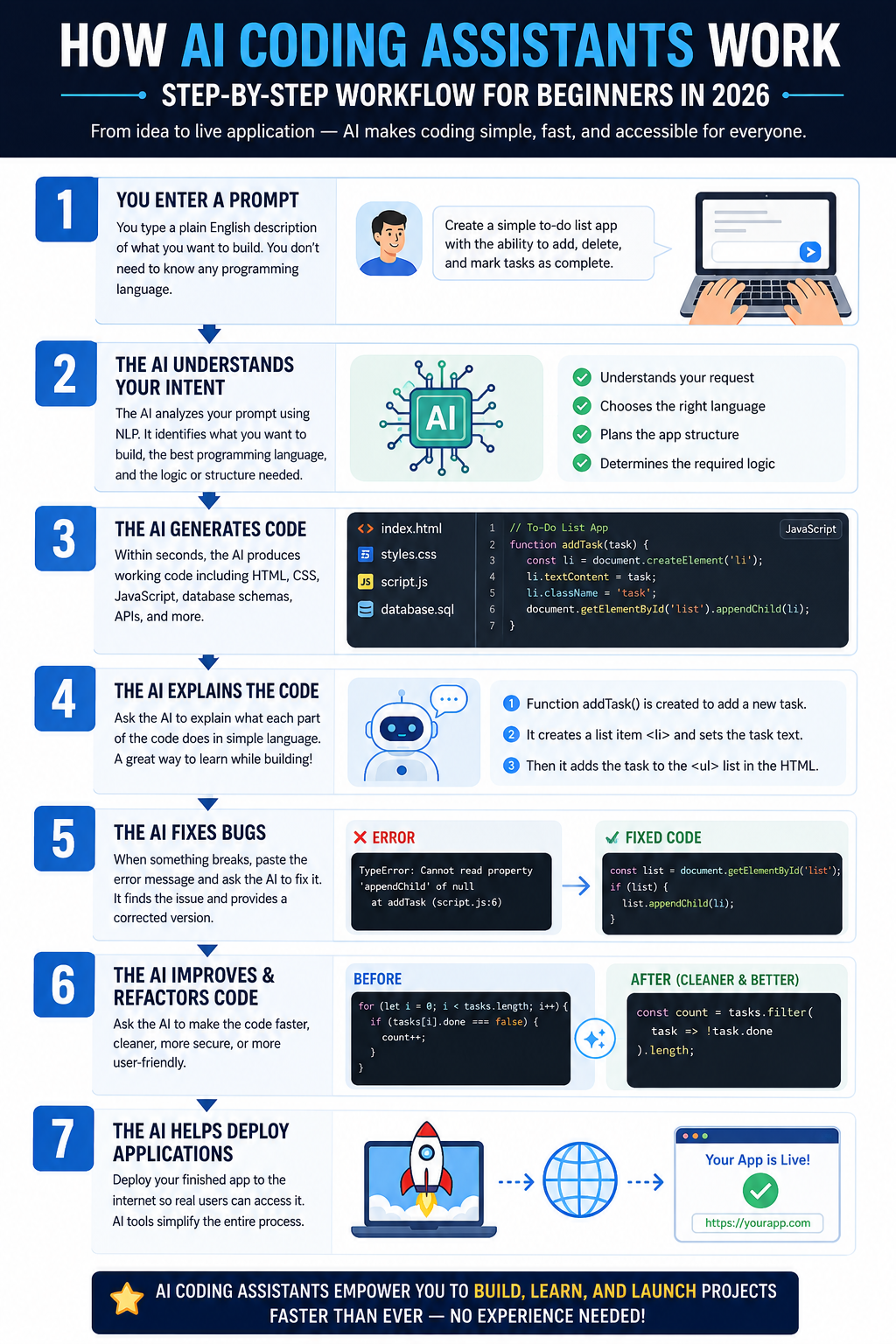
Step 1 — You Enter a Prompt
You type a plain English description of what you want to build. For example: "Create a simple to-do list app with the ability to add, delete, and mark tasks as complete." You do not need to know any programming language. Your natural description is enough.
Step 2 — The AI Understands Your Intent
The AI analyzes your prompt using natural language processing (NLP). It identifies what you are trying to build, what programming language would be best suited, and what logic or structure the code should follow. Modern AI coding tools are remarkably good at understanding ambiguous or imprecise instructions.
Step 3 — The AI Generates Code
Within seconds, the AI produces working code. Depending on the tool and your project, this can include HTML files, JavaScript functions, database schemas, API connections, and more. What would take a junior developer hours can be generated in under a minute.
Step 4 — The AI Explains the Code
One of the most powerful features for beginners is code explanation. You can ask the AI to explain what each part of the generated code does in simple language. This is not just helpful for understanding, it is also an excellent way to learn programming concepts naturally while building real projects.
Step 5 — The AI Fixes Bugs
When something does not work as expected, you simply paste the error message back into the AI chat and say, "This is the error I am getting. Can you fix it?" The AI analyzes the problem, identifies the bug, and provides a corrected version of the code.
Step 6 — The AI Improves and Refactors Code
Once your basic project works, you can ask the AI to make it faster, cleaner, more secure, or more user-friendly. This process is called refactoring, is something experienced developers do regularly, and AI assistants can handle it automatically.
Step 7 — The AI Helps Deploy Applications
Several platforms, particularly Replit AI and Cursor AI with integrations, can help you publish your finished application to the internet so real users can access it. This removes the complex technical steps that traditionally came after building a project.
Benefits of Using AI Coding Assistants
1. Faster Development
Building software traditionally takes weeks or months even for experienced developers. AI coding assistants compress that timeline dramatically. A simple web application that might take a developer three days can be built in a few hours with the right AI tool. For beginners, this means you can go from idea to prototype in a single afternoon rather than waiting months to acquire enough skills to begin.
2. No Coding Experience Required
This is the benefit that changes everything for most people. You genuinely do not need to know how to code to use AI coding assistants effectively. If you can write a clear description of what you want, the way you might explain it to a friend, you can use these tools. This opens software development to millions of people who were previously locked out of it.
3. Learning While Building
AI coding assistants create a unique learning environment. Because you can ask the AI to explain every piece of code it generates, you naturally absorb programming concepts as you build real projects. Many self-taught developers in 2026 report that their learning accelerated dramatically once they started using AI tools alongside traditional study resources. You learn in context, which is far more effective than memorizing syntax in isolation.
Limitations of AI Coding Assistants
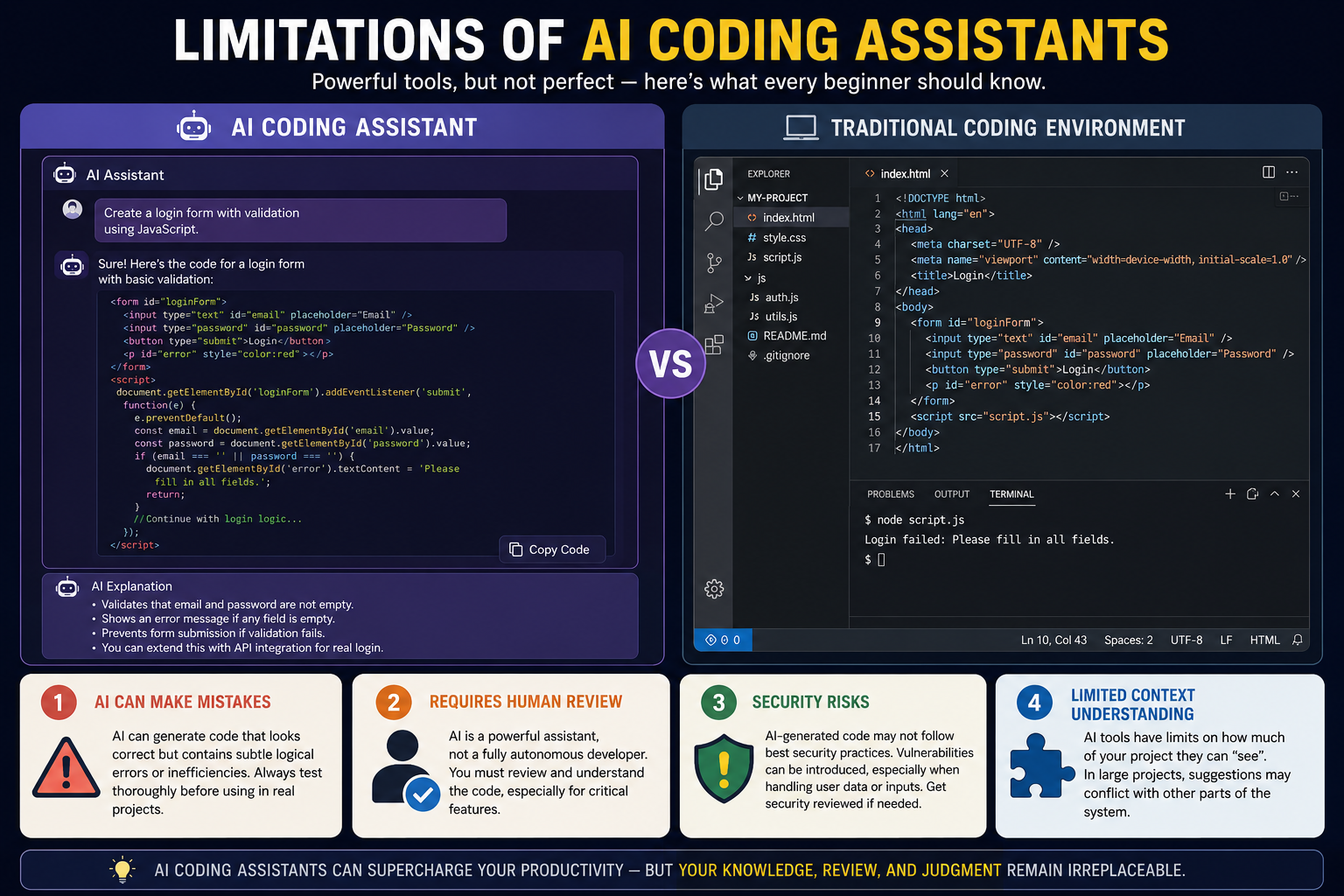
1. AI Can Make Mistakes
AI coding assistants are impressive, but they are not infallible. They can generate code that looks correct but contains subtle logical errors or inefficiencies. For beginners who cannot spot these mistakes, this can be a problem. It is important to test everything the AI generates thoroughly before relying on it in a real-world context.
2. Requires Human Review
Even the best AI coding tools require a human to review the output. This is especially important for anything involving user data, financial transactions, or security-sensitive operations. The AI is a powerful assistant, not a fully autonomous developer. You remain responsible for the final product.
3. Security Risks
AI-generated code does not always follow best security practices. For example, an AI might generate a web form that processes user input without properly sanitizing it, leaving the application vulnerable to attacks. Beginners may not know enough to spot these vulnerabilities. If you are building anything that handles sensitive data or real users, it is wise to have an experienced developer review the security architecture.
4. Limited Context Understanding
Most AI coding assistants have limits on how much of your project they can "see" at once. In large, complex projects with hundreds of files, the AI may not fully understand how all the pieces connect, which can lead to suggestions that break other parts of the system. Newer tools like Claude Code and Cursor AI are improving in this area, but it remains a meaningful limitation.
Also Read:
Top 8 AI-Powered Design Tools for Non-Designers in 2026 (Free & Paid)
Underrated AI Tools for Real Estate Agents in 2026
8 Best AI Coding Assistants for Beginners in 2026
1. GitHub Copilot
GitHub Copilot is one of the most widely used AI coding assistants in the world, developed by GitHub in collaboration with OpenAI. It works as an intelligent autocomplete system that suggests code as you type, finishing your lines and even entire functions before you can. In 2026, GitHub Copilot has evolved into a full AI development companion, capable of agentic tasks, multi-file editing, and deep integration across the GitHub ecosystem. It remains one of the most beginner-recommended tools because of its vast community, extensive documentation, and the sheer scale of development support behind it.
Pricing (2026)
- Free Plan: Available with limited completions and chat interactions per month (ideal for students and casual beginners)
- Copilot Individual: $10/month, unlimited completions and chat
- Copilot Business: $19/user/month, team features and policy controls
- Copilot Enterprise: $39/user/month, organization-wide features and custom models
Pros
- Excellent integration with VS Code (free editor)
- Huge user community and support resources
- Free plan available great for beginners to start with zero cost
- Constantly updated with new capabilities
- Works with almost every popular programming language
- Copilot Chat makes it conversational and beginner-friendly
Cons
- Requires installing a code editor (slight barrier for absolute beginners)
- Free plan has usage limits
- Occasionally generates outdated or incorrect code
- Not browser-based (requires local installation)
Best For
Beginners who want a professional-grade tool they can grow with, students learning to code, and anyone working within the GitHub ecosystem.
2. Cursor AI
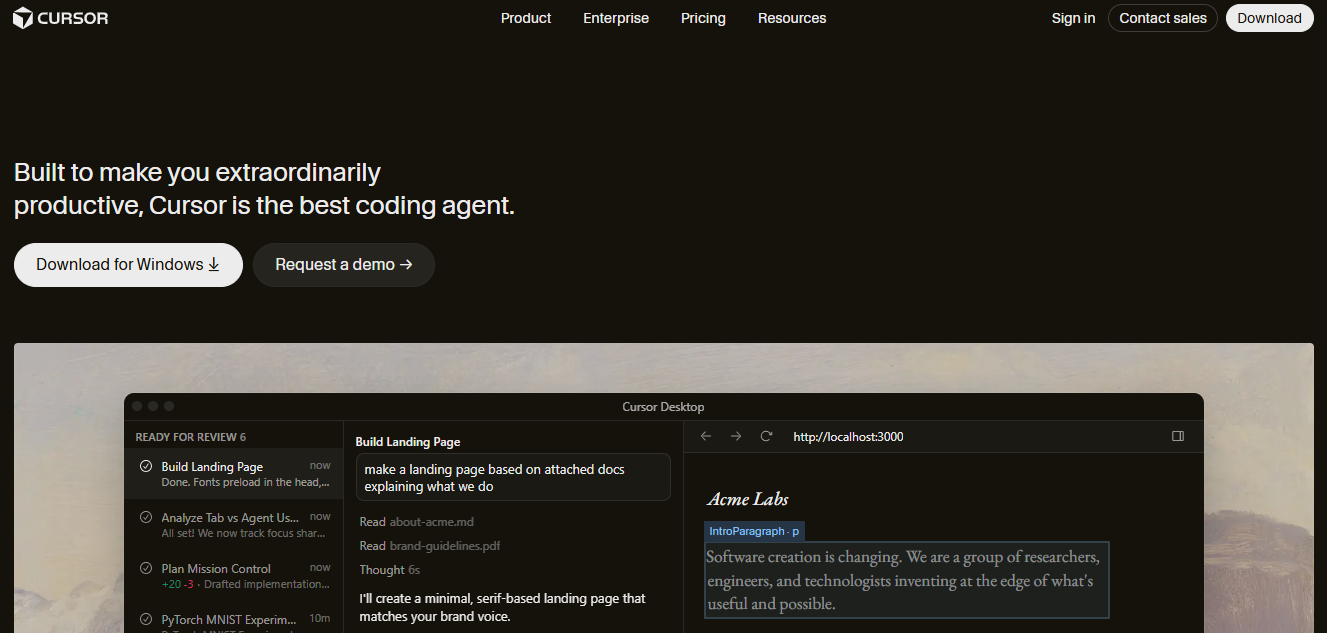
Cursor AI is an AI-native code editor built from the ground up around the idea that AI should be at the center of every development workflow, not bolted on as an afterthought. Unlike GitHub Copilot, which works as a plugin inside another editor, Cursor is itself a complete development environment powered by AI. In 2026, Cursor AI has become the go-to tool for "vibe coders", people who want to build software through natural language conversation. Its Agent mode allows users to describe a project goal, and the AI will autonomously explore the codebase, make changes across multiple files, run tests, and report back. For beginners building medium-to-complex projects, Cursor represents a significant step forward in accessibility.
Pricing (2026)
- Free (Hobby) Plan: 2,000 completions/month + limited premium model usage
- Pro Plan: $20/month, unlimited completions, 500 premium requests/month
- Business Plan: $40/user/month, team collaboration and privacy controls
- Enterprise: Custom pricing
Pros
- Purpose-built for AI-first development workflows
- Agent mode is exceptional for building complete features autonomously
- Familiar VS Code interface reduces the learning curve
- Supports multiple AI models so users can choose the best one
- Excellent for vibe coding and rapid prototyping
- Active development team with frequent updates
Cons
- Monthly cost may be high for hobbyists or students
- Can be overwhelming for absolute beginners due to feature density
- Agent mode occasionally goes off track and needs correction
- Requires desktop installation
Best For
Aspiring developers, startup founders, and anyone serious about using AI to build real software projects quickly. Ideal for intermediate beginners who have done a little coding or have used AI tools before.
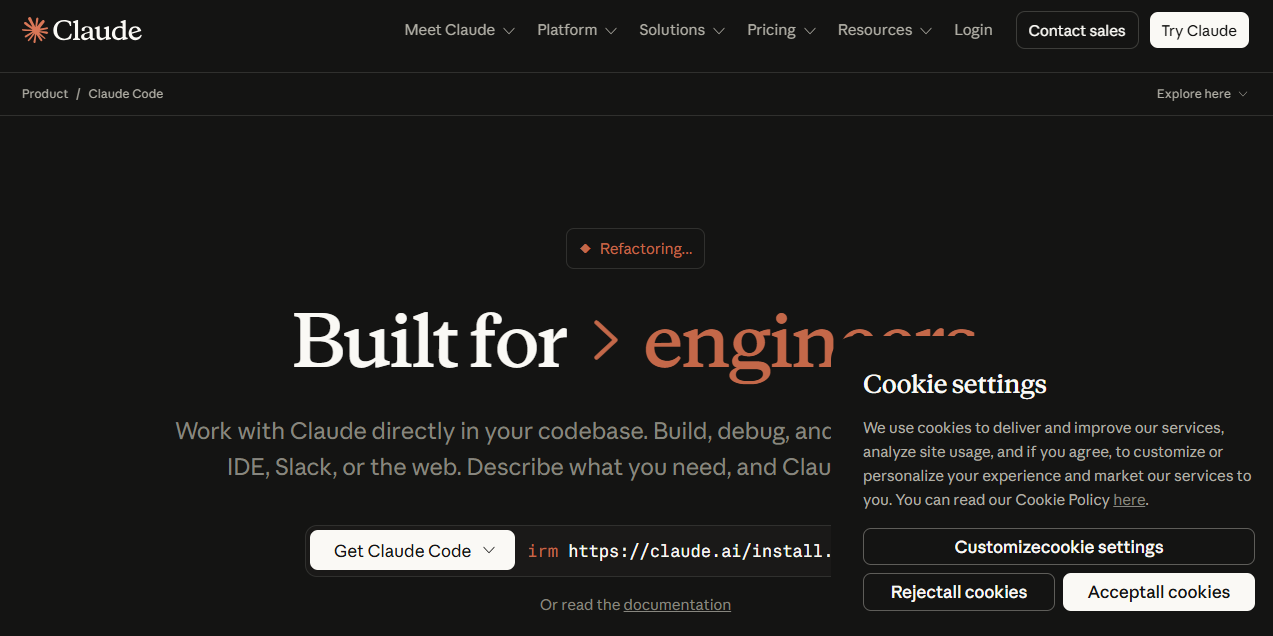
3. Claude Code
Claude Code is Anthropic's terminal-based AI coding agent that brings Claude's exceptional reasoning and natural language understanding directly into the development workflow. For beginners, Claude Code's greatest strength is its communication quality. Claude explains code in genuinely clear, human-friendly language. It does not just generate code and leave you confused, it walks you through what it built and why, which makes it an outstanding learning tool. In 2026, Claude Code has gained significant traction among non-technical founders who want to stay closely involved in understanding their own codebases.
Pricing (2026)
- Claude Code via Claude.ai Pro: $20/month (includes Claude Code access)
- API-based usage: Pay-per-token pricing via Anthropic API
- Claude for Work (Teams): $30/user/month
- Enterprise: Custom pricing
Pros
- Exceptional code explanation quality, outstanding for learning
- Large context window handles large projects better than most competitors
- Strong reasoning for complex architectural decisions
- Honest about limitations, less likely to hallucinate confidently
- Conversational style feels natural and approachable for beginners
Cons
- Terminal-based interface may feel intimidating to absolute beginners
- Requires API setup for full agentic use
- Can be slower than some competitors for simple autocomplete tasks
- No native IDE plugin in the traditional sense
Best For
Non-technical founders and entrepreneurs who want deep involvement in their codebase and prioritize understanding over speed. Also excellent for anyone who wants to learn programming concepts while building real projects.
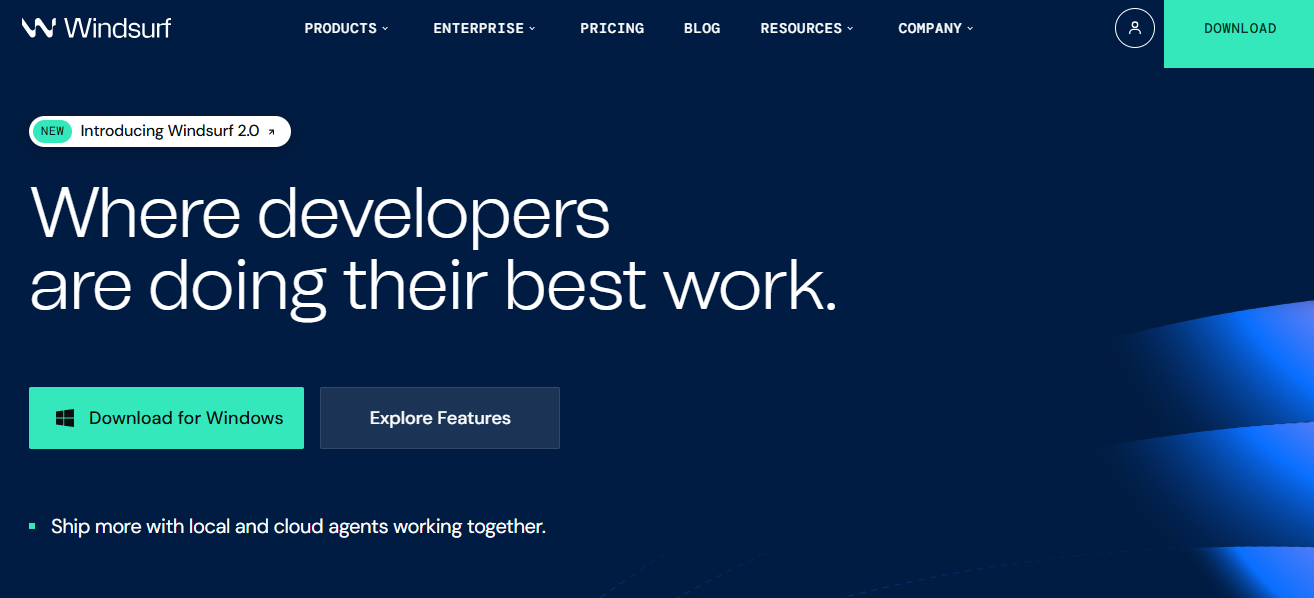
4. Windsurf
Windsurf (developed by Codeium) is a full AI-powered IDE that has rapidly built a reputation as one of the most beginner-accessible and budget-friendly AI coding environments available in 2026. Its signature feature, the Cascade workflow, allows users to have extended, multi-turn conversations with the AI about their project, with the AI maintaining context across the entire session and making intelligent decisions about what to change and why.
Pricing (2026)
- Free Plan: Generous free tier with monthly AI credit allowance
- Pro Plan: $15/month, increased credits and faster model access
- Teams Plan: $35/user/month, collaboration features
- Enterprise: Custom pricing
Pros
- One of the most beginner-friendly interfaces among AI IDEs
- Genuinely useful free tier excellent starting point
- Cascade workflow is natural and conversational
- Competitive pricing compared to Cursor AI
- Regular updates with new features
- Strong community and growing ecosystem
Cons
- Smaller community compared to GitHub Copilot or Cursor
- Free tier has credit limits that can be exhausted quickly on large projects
- Fewer third-party integrations than more established tools
Best For
Budget-conscious beginners, students, and hobbyists who want a polished AI coding environment without paying premium prices. Also an excellent first stop for anyone completely new to AI-assisted development.
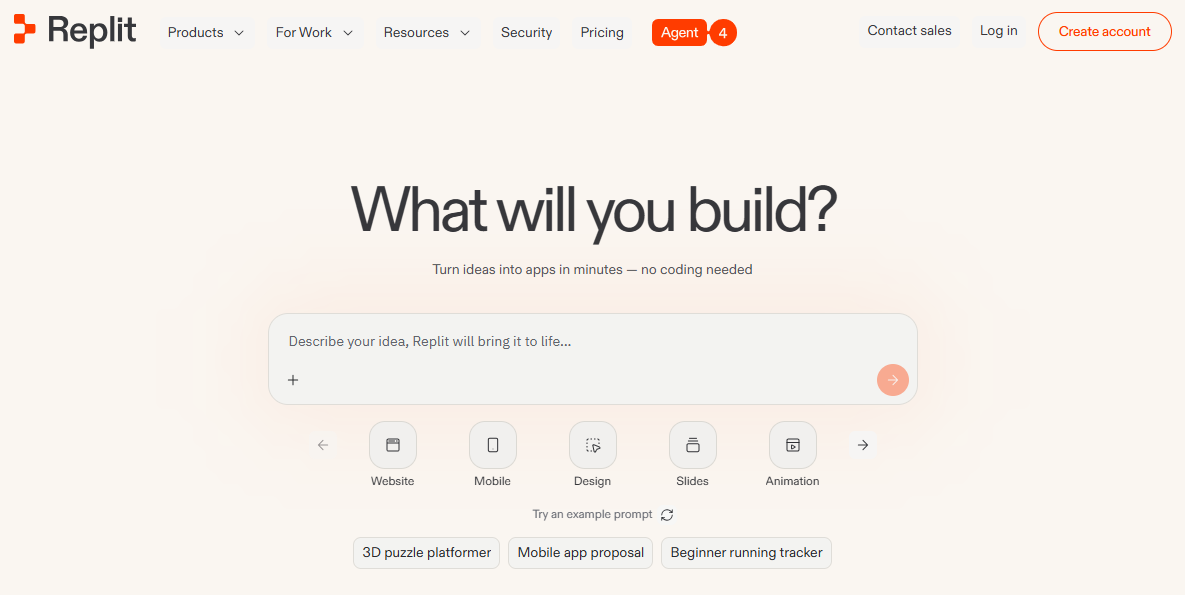
5. Replit AI
Replit AI is arguably the single most beginner-friendly AI coding platform in existence. The key difference that sets Replit apart from every other tool on this list is that it is entirely browser-based. You do not need to download anything, configure any settings, or install any software. You open a browser, log into Replit, describe what you want to build, and the AI starts building it right there in your browser window.
Pricing (2026)
- Free Plan: Available with limited compute and storage
- Replit Core: $25/month, advanced AI features, more compute power, and deployment options
- Teams: $40/user/month, collaborative workspaces for groups
Pros
- Zero installation works in any browser on any device
- Best-in-class for absolute beginners with no technical background
- AI Agent can build a complete project from a single description
- Instant deployment means you can share your project immediately
- Excellent for mobile coding when away from a desk
- Strong community with millions of beginner-friendly examples
Cons
- Browser-based nature means less performance for very large projects
- Free tier has meaningful compute limits
- Less suitable for complex production applications
- Monthly Core subscription required for advanced AI Agent features
Best For
Absolute beginners with zero technical background. Students, young learners, hobbyists, and anyone who wants to go from idea to live website without touching a single configuration file.
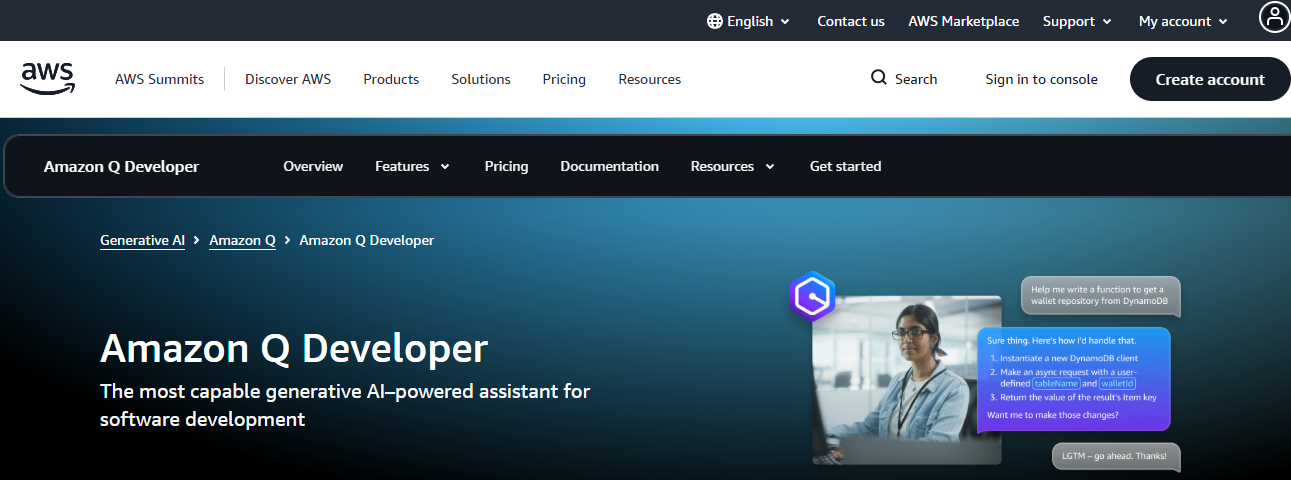
6. Amazon Q Developer
Amazon Q Developer is Amazon Web Services' AI coding assistant, designed to help developers and increasingly non-developers, build, debug, test, and improve applications within the AWS ecosystem and beyond. In 2026, Amazon Q Developer has matured significantly beyond its enterprise roots, with improved natural language understanding and a free tier that makes it genuinely accessible to beginners interested in learning cloud development.
Pricing (2026)
- Free Tier: Available includes code suggestions and security scanning
- Pro Tier: $19/user/month, advanced features, more suggestions, and team management
Pros
- Free tier is genuinely generous compared to competitors
- Best-in-class for anyone building on AWS infrastructure
- Built-in security scanning is excellent for beginners who may miss vulnerabilities
- Strong documentation and AWS learning resources alongside the tool
- Automated test generation saves significant time
Cons
- Best value for AWS users less useful if you are not building on AWS
- Interface can feel more complex than consumer-focused tools
- Smaller beginner-focused community compared to Replit or GitHub Copilot
Best For
Small business owners and beginners interested in cloud development, especially those already using AWS services or planning to deploy applications in the cloud.
7. Tabnine
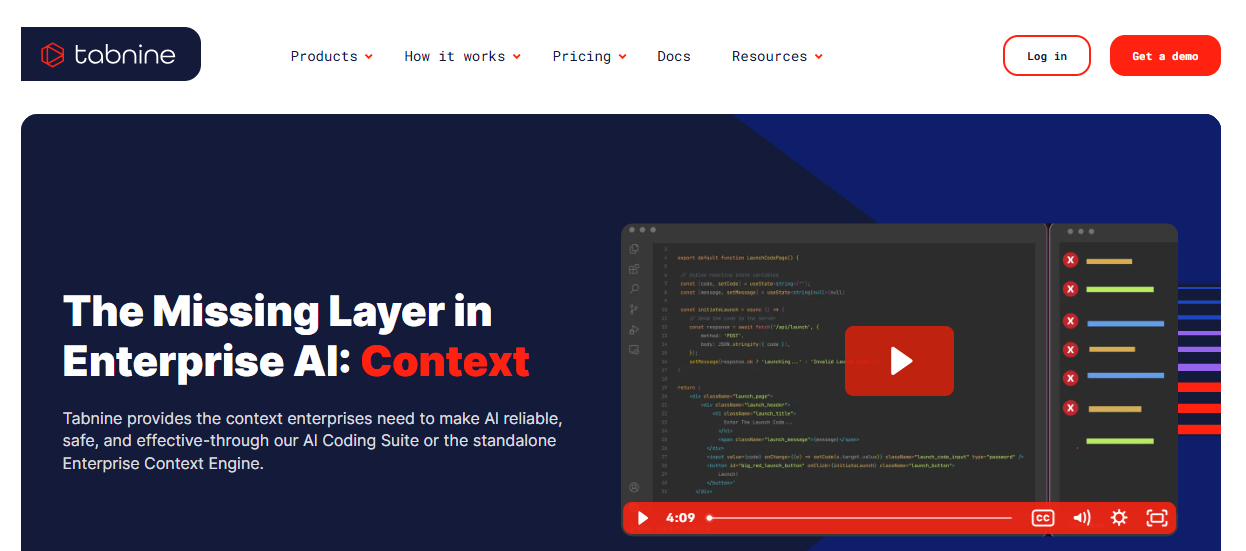
Tabnine is a privacy-first AI coding assistant that has carved out a distinct niche in the AI coding landscape by prioritizing data protection above all else. While many AI coding tools send your code to external servers to generate suggestions, Tabnine offers the option to run its AI models entirely on your local machine, meaning your code never leaves your computer. This makes it particularly valuable for professionals working with sensitive data, proprietary codebases, or in regulated industries like healthcare and finance.
Pricing (2026)
- Free Plan: Available with basic completions
- Developer Plan: $12/month, full AI features and chat
- Enterprise: Custom pricing, includes on-premise deployment options
Pros
- Outstanding privacy protections, best option for sensitive work
- Supports the widest range of programming languages
- Works with virtually every major IDE
- Personalized over time, gets better the more you use it
- Competitive pricing
Cons
- AI capabilities less advanced than Cursor AI or Claude Code
- No built-in deployment or project management features
- Less beginner-focused than Replit or Windsurf
- Agent mode capabilities not as developed as competitors
Best For
Freelancers, small business owners, and beginners working with sensitive client data or proprietary information who cannot afford to send code to external servers.
8. Codeium (Windsurf Plugin Ecosystem)
Codeium is the underlying AI technology that powers Windsurf, but it also exists as a standalone free AI coding assistant available as a plugin for virtually every major IDE. For beginners who are not ready to commit to a new editor but want to add AI capabilities to whatever development environment they are already using, Codeium is one of the best free options available anywhere in 2026.
Pricing (2026)
- Free Plan: Unlimited completions and chat, genuinely free with no credit card required
- Teams Plan: $15/user/month, team features and analytics
- Enterprise: Custom pricing, advanced security and deployment options
Pros
- Completely free for individual developers with no meaningful limitations
- Works in nearly every editor, unmatched compatibility
- No account credit card required for free tier
- Fast and responsive suggestions
- Excellent starting point before committing to a paid tool
- Active development with regular capability updates
Cons
- Less powerful than Cursor AI or Claude Code for complex agentic tasks
- No built-in browser-based development environment
- Chat capabilities less advanced than premium competitors
- Agent mode features not as robust as paid alternatives
Best For
Absolute beginners who want to try AI coding without spending any money. Also ideal for anyone who wants to add AI assistance to their existing code editor without switching tools.
Comparison Table: Best AI Coding Assistants for Beginners in 2026
Tool |
Free Plan |
Beginner Friendly |
AI Chat |
Code Generation |
Best For |
Starting Price |
|
GitHub Copilot |
✅ Yes |
⭐⭐⭐⭐ |
✅ Yes |
✅ Advanced |
Students & developers |
Free / $10/mo |
|
Cursor AI |
✅ Limited |
⭐⭐⭐ |
✅ Yes |
✅ Advanced |
Vibe coders & founders |
Free / $20/mo |
|
Claude Code |
❌ No |
⭐⭐⭐ |
✅ Yes |
✅ Advanced |
Learning & complex projects |
$20/mo |
|
Windsurf |
✅ Yes |
⭐⭐⭐⭐⭐ |
✅ Yes |
✅ Strong |
Budget-conscious beginners |
Free / $15/mo |
|
Replit AI |
✅ Yes |
⭐⭐⭐⭐⭐ |
✅ Yes |
✅ Strong |
Absolute beginners |
Free / $25/mo |
|
Amazon Q Developer |
✅ Yes |
⭐⭐⭐ |
✅ Yes |
✅ Strong |
AWS users & cloud builders |
Free / $19/mo |
|
Tabnine |
✅ Yes |
⭐⭐⭐ |
✅ Yes |
✅ Good |
Privacy-focused users |
Free / $12/mo |
|
Codeium |
✅ Unlimited |
⭐⭐⭐⭐ |
✅ Yes |
✅ Good |
Beginners on any budget |
Free |
How to Choose the Right AI Coding Assistant for Your Goals
For Complete Beginners
If you have never written a single line of code and want to build your first project, Replit AI is your best starting point. It requires no installation, runs entirely in your browser, and its Agent feature can build a complete application from a description. When you are ready to explore more, Codeium is an excellent free upgrade for adding AI assistance to a traditional code editor.
For Students Learning to Code
GitHub Copilot is ideal for students because of its generous free plan, deep VS Code integration, and the educational value of seeing professional-quality code suggestions in real time. Pair it with Claude Code for detailed explanations of concepts you do not understand, and you have a powerful self-teaching combination.
For Freelancers
Cursor AI or Windsurf are the strongest choices for freelancers who need to build client projects quickly and professionally. Both offer agent-level capabilities for building complete features, and their pricing is reasonable relative to the billable work they help you produce. If client data privacy is a concern, Tabnine deserves serious consideration.
For Startup Founders
Cursor AI paired with Claude Code is the power combination for startup founders in 2026. Cursor gives you the speed to build and iterate quickly, while Claude provides the deep reasoning needed for architectural decisions and complex feature planning. Together, they can take a non-technical founder surprisingly far before a dedicated engineering hire becomes necessary.
Conclusion
AI coding assistants have fundamentally changed who gets to build software, and 2026 is the most exciting year yet to be a beginner in this space. Whether you are an entrepreneur with a product idea, a student learning to code, a freelancer expanding your services, or simply someone who wants to build something of your own, there has never been a better time to start. The tools are powerful, many are free, and the barrier between having an idea and bringing it to life has never been lower. Pick one tool from this list, describe what you want to build, and take your first step, your next great project is just a prompt away.
FAQ's
Q. What Is Vibe Coding?
Vibe coding is a development approach where you build software almost entirely through natural language conversation with an AI, without writing code directly. The term was coined by Andrej Karpathy in early 2025 and quickly became one of the defining trends of 2025–2026 in software development.
Q. Can AI Coding Assistants Replace Programmers?
This is one of the most common questions surrounding AI coding tools, and the honest answer is: not yet, and probably not completely. AI coding assistants are extraordinary productivity multipliers, but they work best when guided by someone who understands the goal, can evaluate the output, and knows when something is wrong. For routine tasks, simple applications, and well-defined projects, AI can handle a tremendous amount of the work independently.
Q. How Much Do AI Coding Assistants Cost?
AI coding assistant pricing ranges from completely free to approximately $40/month for individual professional plans. Free options include Codeium, GitHub Copilot's free tier, Replit's basic plan, and Amazon Q Developer's free tier. Paid plans typically range from $10–$25/month for individuals, with team and enterprise plans costing $19–$40 per user per month.
Sources
Stack Overflow Developer Survey 2025